
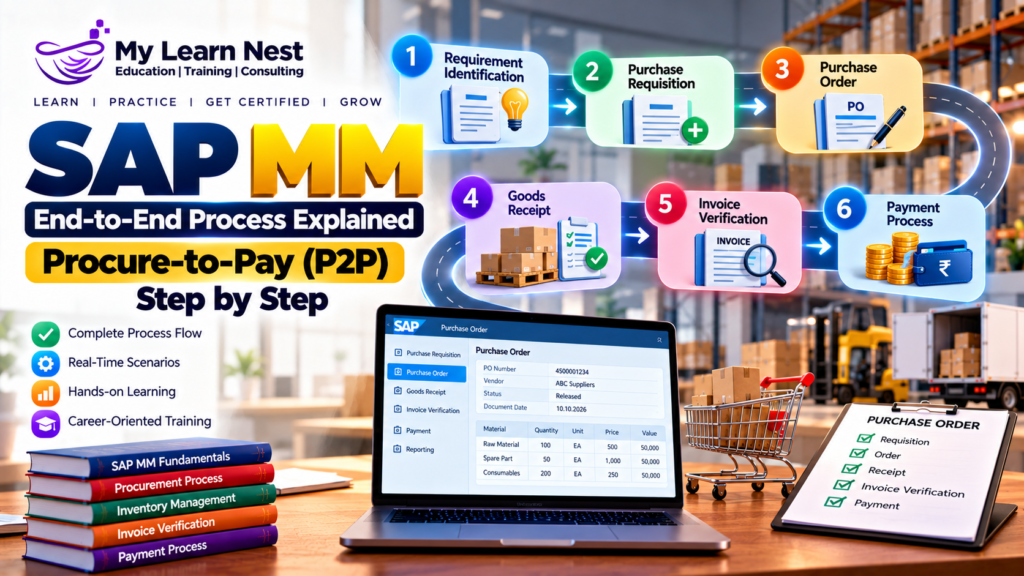
Every business needs materials, products, and services to operate smoothly. Manufacturing companies purchase raw materials, IT companies procure computers and software, and retail businesses buy products for resale. Managing these purchases efficiently is essential for controlling costs, maintaining stock, and supporting business operations.
SAP MM (Materials Management) is an important SAP module that helps businesses manage procurement, inventory, material valuation, and supplier-related processes. One of its most important business processes is Procure-to-Pay (P2P).
The SAP MM Procure-to-Pay process covers the complete purchasing cycle, starting with a material requirement and ending with supplier payment. It connects purchasing, inventory management, invoice verification, and financial accounting.
In this guide, you will learn how the SAP MM end-to-end process works, the important steps involved, commonly used SAP transaction codes, real-time business examples, and common issues that SAP MM professionals handle in projects.
What Is the Procure-to-Pay Process in SAP MM?
Procure-to-Pay, also called P2P, is the business process used to purchase goods or services from suppliers and complete the related financial transactions.
In SAP MM, the process begins when a department identifies a requirement for materials or services. The purchasing team creates the necessary purchasing documents, selects a supplier, and places an order. After the supplier delivers the goods, the company records the receipt, verifies the invoice, and processes payment through Financial Accounting.
The P2P process helps organizations maintain purchasing control, track inventory, verify supplier invoices, and keep financial records accurate.
For example, imagine a manufacturing company needs 500 units of raw material to continue production. The purchasing team creates a purchase requisition, selects a suitable supplier, and creates a purchase order. After receiving the material, the warehouse team records the goods receipt. The accounts payable team verifies the supplier invoice and processes payment.
Why Is the SAP MM P2P Process Important?
A well-managed P2P process helps businesses maintain control over purchasing activities and supplier relationships.
It provides better visibility into material requirements, purchase orders, goods receipts, and supplier invoices. It also helps reduce purchasing errors, prevent unnecessary orders, and improve inventory planning.
SAP integrates purchasing activities with other business functions. For example, goods receipt can update inventory and create accounting entries when required. Invoice verification can update supplier liabilities in Financial Accounting.
For SAP MM consultants, understanding this integration is essential because real-time projects involve more than creating purchasing documents. Consultants must understand the complete business flow and identify where errors occur.
SAP MM Procure-to-Pay Process Flow
The standard P2P process can include the following steps:
Requirement identification
Purchase requisition creation
Source determination and supplier selection
Request for quotation, when required
Purchase order creation
Purchase order approval and dispatch
Goods receipt
Invoice verification
Supplier payment
Purchase order monitoring and reconciliation
Not every business follows every step. For example, some organizations create purchase orders directly, while others require quotations and approval workflows before placing an order.
Step 1: Requirement Identification
The first step is identifying the need for a material or service.
A requirement can come from a production department, warehouse, maintenance team, project team, or another business unit. SAP can support this process through manual requests or planning activities such as Material Requirements Planning (MRP).
For example, a manufacturing company maintains a minimum stock level for a raw material. When the stock falls below the required level, MRP may generate a procurement proposal based on planning settings. The purchasing team reviews the requirement and determines whether the company needs to purchase the material.At this stage, the team considers the material, required quantity, delivery date, plant, and purchasing requirements.
Key learning: Correct requirement planning helps prevent stock shortages, excess inventory, and unnecessary purchasing.
Step 2: Create a Purchase Requisition
A Purchase Requisition (PR) is an internal document that requests the purchase of materials or services.
It informs the purchasing department about what the business needs, how much it needs, and when it needs delivery. A PR does not normally represent the final commitment to a supplier. In SAP GUI, ME51N is commonly used to create a purchase requisition. Users can display an existing requisition through ME53N.
During PR creation, users enter details such as material, quantity, delivery date, plant, storage location where relevant, and account assignment for applicable requirements.
For example, the production department needs 500 units of raw material. The responsible employee creates a PR for 500 units and specifies the required delivery date. Depending on company policy, the requisition may require approval before purchasing can proceed.
Real-time scenario: If a requisition contains the wrong plant or delivery date, the purchasing team may struggle to source or receive the material correctly. Accurate data at this stage helps avoid later problems.
Step 3: Source Determination and Supplier Selection
After reviewing the requirement, the purchasing team determines the appropriate source of supply.
SAP MM can support source determination using purchasing information records, source lists, quota arrangements, and outline agreements, depending on the business setup.
A purchasing information record stores information about a material and supplier relationship. A source list identifies approved sources for a material at a particular plant and period. Quota arrangements can distribute procurement requirements among multiple sources.
For example, a company purchases packaging material from three approved suppliers. The purchasing team evaluates price, delivery time, quality, and supplier availability before selecting a source. Source determination helps organizations purchase from suitable suppliers while following internal procurement policies.
Step 4: Request for Quotation and Price Comparison
For some purchases, the company requests quotations from multiple suppliers before selecting one. A Request for Quotation (RFQ) specifies the material or service required, quantity, delivery expectations, and other purchasing conditions. Suppliers respond with their prices and commercial terms.
The purchasing team compares the quotations to identify a suitable supplier. The decision may depend on price, quality, delivery time, payment terms, and supplier reliability.
For example, three suppliers quote for 500 units of material:
- Supplier A offers ₹120 per unit.
- Supplier B offers ₹115 per unit.
- Supplier C offers ₹118 per unit with faster delivery.
Supplier B has the lowest price, but Supplier C may be selected if faster delivery is more important to the business.
In SAP GUI, ME41 is commonly used to create an RFQ. ME47 is used to maintain a quotation, and ME49 can be used for quotation price comparison in relevant SAP purchasing processes. This step is optional. Organizations may use existing contracts or approved suppliers without requesting quotations for every purchase.
Step 5: Create a Purchase Order
A Purchase Order (PO) is a formal purchasing document sent to a supplier. It confirms the materials or services being ordered and the agreed purchasing conditions. A PO can be created with reference to a purchase requisition, quotation, or agreement. It can also be created directly when the business process allows it.
In SAP GUI, ME21N is commonly used to create a purchase order. ME22N is used to change a PO, while ME23N is used to display it.
A purchase order generally includes:
- Supplier details
- Material or service information
- Quantity and price
- Plant and delivery location
- Delivery date
- Payment terms
- Tax and other purchasing conditions
For example, after selecting a supplier, the purchasing team creates a PO for 500 units at ₹115 per unit. The purchase order records the agreed price, delivery date, and other conditions.
The PO provides a reference for the subsequent goods receipt and invoice verification.
Step 6: Purchase Order Approval and Dispatch
Many organizations require purchase orders to be approved before they are sent to suppliers.
Approval requirements may depend on factors such as purchase value, purchasing group, document type, or company policy. SAP can support these controls through configured release procedures or workflow-based approvals.
For example, a purchase order worth ₹50,000 may require one level of approval, while a higher-value order may require additional authorization. The actual rules depend on the organization. After approval, the purchase order is communicated to the supplier through the configured output method, such as email, print, or electronic integration.
Real-time scenario: If a PO is awaiting approval, the supplier may not receive the confirmed order on time. SAP MM consultants need to understand approval status, workflow, and the applicable purchasing controls when investigating such delays.
Step 7: Goods Receipt
Goods receipt takes place when the supplier delivers the ordered materials to the company.
The receiving team checks the delivered quantity and condition against the purchase order and records the receipt in SAP. The system updates stock according to the material, plant, storage location, and movement type. In SAP GUI, MIGO is commonly used for goods movements, including purchase order goods receipts. The exact process depends on the SAP system and business configuration.
For example, the supplier delivers 500 units against a PO for 500 units. The warehouse team verifies the delivery and posts the goods receipt.For a typical goods receipt into unrestricted-use stock, movement type 101 is commonly used. The posting updates inventory and can generate an accounting document when the relevant valuation and configuration require it.
If only 450 units arrive, the receiving team records the actual quantity received. The remaining 50 units can remain open on the purchase order, subject to the order settings and business process.
Important concept: Goods receipt and invoice receipt are separate events. The company may receive materials before the supplier invoice arrives.
Step 8: Invoice Verification
After delivering the goods or providing the service, the supplier sends an invoice. The accounts payable or purchasing team verifies the invoice against the purchase order and the relevant receipt information.
In SAP MM, MIRO is commonly used for Logistics Invoice Verification. The team checks the invoice quantity, price, tax, freight, and other applicable conditions. SAP can identify differences between the invoice and the purchasing documents.
For example, the PO specifies 500 units at ₹115 per unit. The supplier submits an invoice for 500 units at ₹120 per unit.
The price difference may cause a variance or block, depending on the configured tolerances and business rules. The responsible team investigates the difference before proceeding. Invoice verification helps prevent duplicate or incorrect payments and supports accurate supplier accounting.
What Is the Three-Way Match in SAP MM?
Three-way matching compares three important documents:
- Purchase Order: What the company agreed to purchase.
- Goods Receipt: What the company recorded as received.
- Supplier Invoice: What the supplier is charging.
For example, if the PO is for 500 units, the goods receipt is for 500 units, and the invoice is for 500 units at the agreed price, the documents can match.
If the invoice contains a different quantity or price, the system may identify a discrepancy. The team must review the issue according to company policy. Three-way matching helps improve purchasing accuracy and financial control.
Step 9: Supplier Payment
After invoice verification and the required approvals, the supplier invoice becomes part of the company’s accounts payable process. Supplier payment is generally processed through SAP Financial Accounting, based on payment terms, due dates, payment methods, and company policy.
In SAP GUI, F110 is commonly used for automatic payment processing in applicable SAP ERP and SAP S/4HANA systems.
For example, a supplier invoice has payment terms of 30 days. The invoice is recorded and becomes due according to those terms. The finance team can include it in an eligible payment run. When payment is posted, the supplier liability is cleared according to the accounting process, and the relevant financial records are updated.
Key point: SAP MM supports procurement and invoice verification, while the payment process primarily belongs to Financial Accounting.
Step 10: Monitor the Purchase Order and Complete the Process
After goods receipt, invoice verification, and payment, the purchasing team may review the purchase order to confirm that the process is complete. A purchase order history helps users track related transactions, such as goods receipts, invoice receipts, and other subsequent documents.
In SAP GUI, ME23N can be used to display a purchase order and review its history.
The team checks whether the ordered quantity was received, whether invoices were processed, and whether any quantities or values remain open. Depending on the business requirements, the team may also review delivery completion and final invoice indicators.
This monitoring helps identify outstanding deliveries, pending invoices, quantity differences, and other purchasing issues.
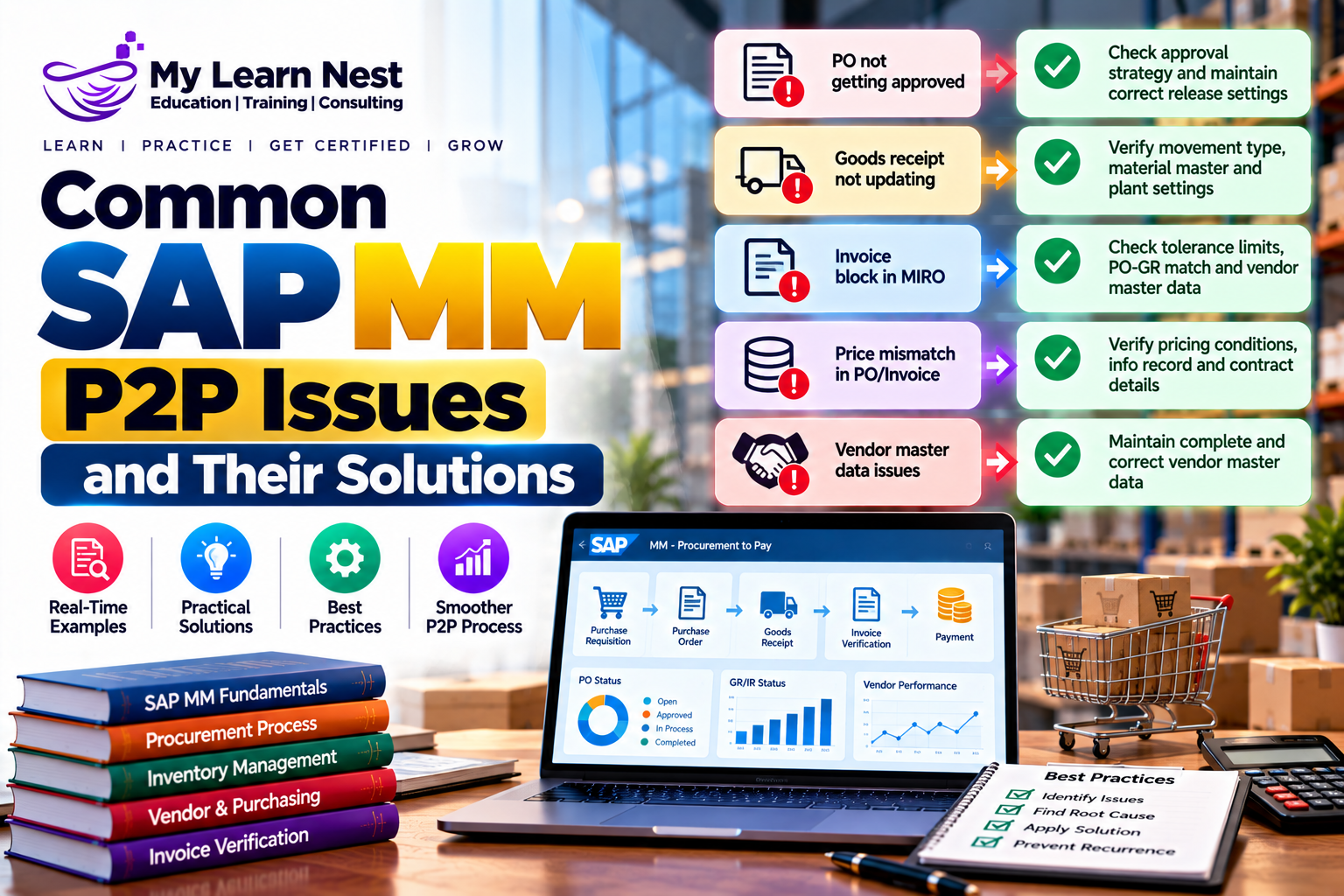
Common SAP MM P2P Issues and Their Solutions
SAP MM consultants often troubleshoot issues throughout the procurement process.
Purchase requisition cannot be converted into a purchase order: Check the requisition status, approval status, source of supply, purchasing data, and any relevant error messages.
Purchase order is not approved: Review the applicable release strategy or workflow, approval status, and any missing information required for release.
Goods receipt cannot be posted: Check the purchase order status, open quantity, delivery details, movement type, posting period, and any applicable stock or configuration restrictions.
Invoice is blocked: Compare the invoice with the purchase order and goods receipt. Investigate price differences, quantity differences, tax discrepancies, and configured tolerance limits.
Stock quantity is incorrect: Review the material documents, movement types, plant, storage location, and stock category. Check whether the goods receipt or a subsequent goods movement was posted correctly.
Supplier payment is delayed: Review the invoice status, payment terms, due date, payment block, payment method, and relevant FI payment-processing information.
A good consultant does not simply remove an error or change a document. The consultant identifies the root cause, checks the business impact, and applies an approved solution.
How SAP MM Integrates with Other SAP Modules
The P2P process demonstrates how SAP modules work together.
SAP MM and SAP FI: Goods receipt can create inventory and accounting postings. Invoice verification records supplier liabilities and related financial values. Supplier payment is then handled through FI.
SAP MM and SAP PP: Production planning can create material requirements that lead to procurement. Purchased raw materials support manufacturing activities.
SAP MM and SAP QM: When quality management is integrated, incoming materials may be subject to inspection before they can be released for unrestricted use.
SAP MM and SAP SD: Sales demand can influence material planning and procurement. Stock availability and purchasing activities can help businesses meet customer requirements.
Understanding these integrations helps SAP MM professionals analyze complete business scenarios rather than focusing only on individual transactions.
Skills Needed to Learn SAP MM P2P
Anyone learning SAP MM should understand procurement fundamentals, organizational structure, material master data, vendor or supplier master data, purchasing information records, purchase requisitions, purchase orders, goods movements, invoice verification, and purchasing reports.
Practical knowledge is equally important. Learners should practice the complete P2P cycle, understand document flow, analyze purchasing errors, and learn how procurement integrates with FI and other modules.
Freshers should first understand the purpose of each document and how it moves through the process. Experienced professionals should focus on configuration, approval workflows, account assignment, valuation, invoice discrepancies, integration, and real-time troubleshooting.
Learn SAP MM with MyLearnNest Training Academy
Understanding the SAP MM Procure-to-Pay process is an important step toward learning real-world procurement operations. However, reading concepts alone is not enough. Practical exercises help learners understand how purchasing documents, goods movements, invoices, and accounting entries work together.
MyLearnNest Training Academy provides SAP MM Training for freshers and working professionals who want to develop practical knowledge of SAP Materials Management.
The training focuses on important topics such as purchasing, material master data, supplier-related processes, purchase requisitions, purchase orders, goods receipt, invoice verification, inventory management, and integration with SAP FI. Learners can strengthen their understanding through practical examples, real-time business scenarios, and interview preparation. This learning approach helps students understand how SAP MM supports procurement activities in business environments.
If you are looking for an SAP MM course in Hyderabad, MyLearnNest Training Academy offers a structured learning path for building SAP MM knowledge and preparing for career opportunities.
Conclusion
The SAP MM Procure-to-Pay process connects material requirements, supplier selection, purchasing, goods receipt, invoice verification, and supplier payment. Each step helps businesses maintain purchasing control, manage inventory, and support accurate financial records.
By learning the complete P2P process, SAP MM learners can understand how procurement works from beginning to end. Practicing purchase requisitions, purchase orders, goods receipts, invoice verification, and integration scenarios can also help candidates prepare for SAP MM interviews and real-time project responsibilities.

