
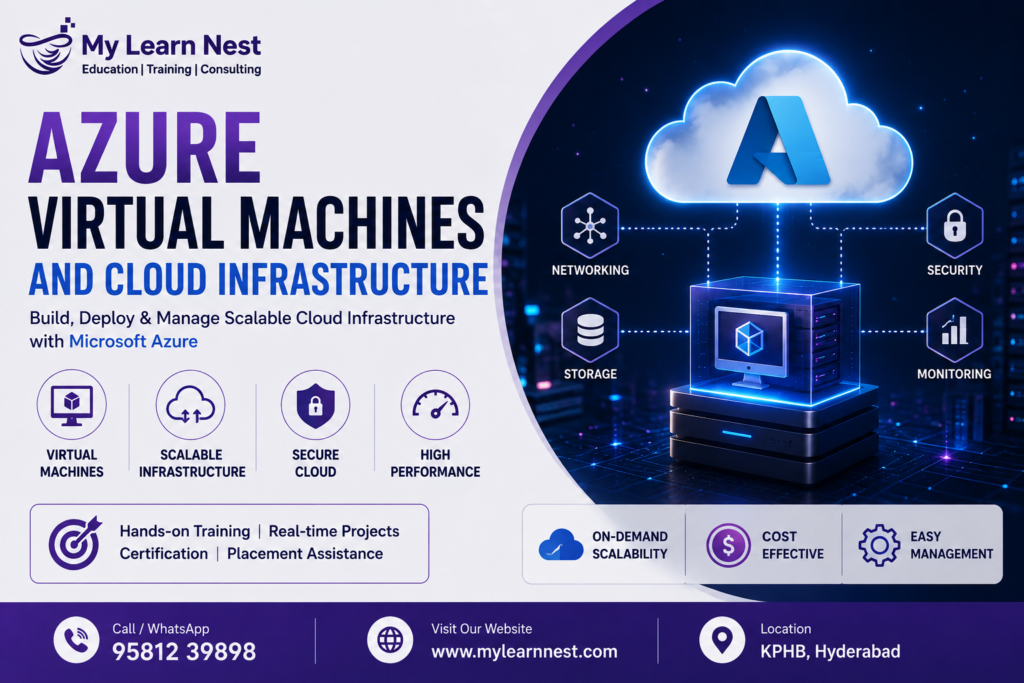
Azure Virtual Machines and Cloud Infrastructure
Cloud computing has changed the way businesses build, manage, and scale their applications. Instead of purchasing and maintaining physical servers, organizations can use cloud platforms to create computing resources whenever they need them. Microsoft Azure is one of the leading cloud platforms that provides a wide range of infrastructure and application services.
Azure Virtual Machines and Cloud Infrastructure are important concepts for anyone planning to build a career in cloud computing, system administration, DevOps, or Azure administration. Azure Virtual Machines allow users to create virtual servers in the cloud, while services such as Virtual Networks, Storage Accounts, Load Balancers, and Azure App Services help create complete cloud environments.
An Azure cloud infrastructure can be designed for simple applications as well as large enterprise systems. Organizations can create virtual machines, connect them through secure networks, store application data, distribute traffic, and monitor resources from a centralized cloud platform.
Understanding these services gives learners a practical foundation for working with Microsoft Azure and modern cloud infrastructure.
What Is Azure Cloud Infrastructure?
Azure cloud infrastructure refers to the collection of computing, networking, storage, security, and management resources used to run applications and workloads on Microsoft Azure.
In a traditional data center, a company needs physical servers, networking equipment, storage systems, cooling, power, and maintenance. Cloud infrastructure reduces the need to manage much of this physical hardware.
Azure allows organizations to create resources based on their requirements. A business can create a virtual machine for an application, configure a Virtual Network for communication, use a Storage Account for files and data, and configure a Load Balancer to distribute incoming traffic.
This flexible approach makes Azure cloud infrastructure useful for businesses of different sizes.
What Are Azure Virtual Machines?
Azure Virtual Machines are virtualized computing resources that allow users to run operating systems and applications in the Azure cloud.
An Azure VM works similarly to a physical computer or server, but the underlying hardware is managed by Microsoft. Users can select the operating system, virtual machine size, storage configuration, networking options, and other settings according to their workload.
Azure Virtual Machines can be used for many purposes, including hosting applications, running databases, development environments, testing environments, and enterprise workloads.
For example, a company may create a Windows Server virtual machine to host an internal business application. Another organization may create Linux virtual machines to run web applications or development tools.
Why Use Azure Virtual Machines?
Azure Virtual Machines provide flexibility because organizations can create computing resources without purchasing physical servers.
Businesses can select different VM sizes based on CPU, memory, storage, and workload requirements. When requirements change, the infrastructure can also be adjusted.
Azure VMs are particularly useful when an organization needs more control over the operating system and server environment.
Some common uses include:
- Application hosting
- Development and testing
- Database workloads
- Web servers
- Enterprise applications
Azure Virtual Machines can also be integrated with other Azure services to create complete application environments.
Azure Virtual Machine Sizes
Different applications require different amounts of computing power. A small development application may require only limited CPU and memory, while a large enterprise workload may need significantly more resources.
Azure provides different VM sizes designed for different workloads.
When selecting an Azure VM, organizations should consider CPU requirements, memory requirements, storage performance, network performance, expected traffic, and budget.
Choosing a VM based only on the highest available performance is not always the best approach. The goal should be to select an appropriate configuration for the workload and scale it when requirements increase.
Azure Virtual Networks
Azure Virtual Network is a fundamental networking service used to create private networks in Azure.
Virtual Networks allow Azure resources to communicate with each other securely. For example, multiple Azure Virtual Machines can be placed inside a Virtual Network and configured to communicate according to defined networking rules.
A Virtual Network can contain different subnets that help organize resources.
For example, an organization might create separate subnets for web servers, application servers, and databases. This type of network design can improve organization and security.
Understanding Azure Virtual Network concepts is important for anyone learning Azure cloud infrastructure.
Azure Virtual Network Components
A Virtual Network can include different networking components depending on the architecture.
Subnets help divide a network into smaller logical sections. Network security controls can be used to control traffic. Public and private IP addresses allow resources to communicate internally or externally depending on the configuration.
Virtual Networks can also be connected to other networks when required.
For cloud professionals, understanding IP addresses, subnets, routing, network security, and connectivity is important when designing Azure infrastructure.
Azure Storage Accounts
Azure Storage Accounts provide cloud storage capabilities for applications and users.
Organizations can use Azure Storage for different types of data, including files, objects, messages, and other application data.
Azure Storage provides different storage services for different use cases. For example, Blob Storage is commonly used for object storage, while file storage can be used when applications require shared file access.
For example, an application running on an Azure VM can store application files or backups in Azure Storage.
Why Azure Storage Is Important
Data is an essential part of almost every cloud application. Applications need reliable storage for documents, images, backups, logs, databases, and other information.
Azure Storage provides scalable cloud-based storage without requiring organizations to maintain physical storage hardware.
It also supports different access patterns and workloads.
When designing an Azure infrastructure solution, it is important to select the right storage service based on performance, availability, access requirements, security, and cost.
Azure Load Balancer
An Azure Load Balancer helps distribute network traffic across multiple backend resources.
Imagine an application receiving thousands of requests. Sending all requests to a single server can create a performance bottleneck. If that server becomes unavailable, the application may also become unavailable.
A load balancer can distribute traffic across multiple healthy resources.
For example, an organization may deploy several Azure Virtual Machines running the same web application. The Azure Load Balancer can distribute incoming traffic between those servers.This approach can improve availability and help applications handle larger workloads.
Why Load Balancing Is Important
Load balancing is an important concept in scalable cloud infrastructure.
As application traffic increases, businesses need to make sure that individual servers are not overloaded. Distributing requests across multiple resources can help improve application performance and availability.
Load balancing can also support high-availability architectures by directing traffic away from unhealthy resources.
For cloud professionals, understanding Azure Load Balancer is useful when designing applications that need reliability and scalability.
Azure App Services
Azure App Service is a platform for hosting web applications, APIs, and other supported application workloads without requiring users to manage the underlying virtual machines directly.
Unlike Azure Virtual Machines, where users have more control over the operating system and server environment, Azure App Service provides a managed platform for application deployment.
Developers can deploy applications to Azure App Service without managing many of the infrastructure tasks associated with traditional servers.
This makes Azure App Service useful for organizations that want to focus more on application development and less on server administration.
Azure Virtual Machines vs Azure App Service
Azure Virtual Machines and Azure App Service serve different purposes.
Azure Virtual Machines provide greater control over the operating system, installed software, networking configuration, and server environment. This makes them useful for workloads that require more infrastructure control.Azure App Service is a managed application hosting platform. It reduces the amount of infrastructure management required by developers.
If a company needs operating system-level control, Azure Virtual Machines may be more suitable. If the main requirement is to deploy and manage web applications with less infrastructure administration, Azure App Service may be a better choice.
Azure Scaling
Cloud applications often experience changes in demand. A website may receive normal traffic during most of the day but experience a large increase during a sale or special event.
Azure scaling allows organizations to adjust computing resources according to workload requirements.Scaling can involve increasing the capacity of an existing resource or adding more resources to handle additional traffic.
Vertical scaling means increasing the size or capacity of a resource. Horizontal scaling means adding more instances or servers.Understanding these concepts is important when building scalable Azure cloud infrastructure.
Scaling Azure Virtual Machines
Azure Virtual Machines can be scaled according to application requirements.
If an application needs more CPU or memory, the VM configuration can be adjusted to a larger size when appropriate. For applications that require multiple instances, organizations can use multiple VMs and distribute traffic between them.
Scaling strategies should be planned based on actual workload requirements.Businesses should also consider cost when scaling cloud infrastructure because increasing resources can increase cloud spending.
The goal is to maintain the required application performance without unnecessarily using expensive resources.
Azure Monitoring
Monitoring is an essential part of cloud infrastructure management.
After deploying Azure Virtual Machines and other resources, administrators need to understand how those resources are performing.Azure monitoring capabilities can help track information such as CPU utilization, memory usage, network activity, application performance, and resource health.
For example, if CPU usage on a virtual machine consistently reaches high levels, administrators can investigate the workload and determine whether the VM needs optimization or scaling.
Why Azure Monitoring Matters
Without monitoring, it can be difficult to understand what is happening inside a cloud environment.
Monitoring helps organizations identify unusual activity, performance problems, resource failures, and capacity issues.
It can also help teams understand resource usage and make better decisions about scaling.For production environments, monitoring should be considered part of the initial architecture rather than something added later.
Azure Cloud Infrastructure Security
Security is an important part of every Azure environment.
Azure infrastructure can include virtual machines, networks, storage, applications, and sensitive business information. Each component needs appropriate security controls.
Virtual Networks can be designed to control communication between resources. Access permissions can be configured according to user roles. Storage resources should be protected against unauthorized access.
Virtual machines should also be maintained with appropriate operating system updates and security configurations. Cloud security is a shared responsibility, meaning both Microsoft and the customer have responsibilities for maintaining a secure environment.
High Availability in Azure
High availability means designing systems so that applications can continue operating even when individual resources experience problems.
A single virtual machine creates a potential single point of failure. If that VM becomes unavailable, an application running only on that server may also become unavailable.
Using multiple instances, appropriate networking, load balancing, and Azure availability features can help create more resilient architectures.High availability is particularly important for applications that support critical business operations.
Azure Backup and Disaster Recovery
Organizations should also plan for unexpected failures and data loss.
Backup and disaster recovery strategies help businesses recover applications and data after incidents such as hardware failures, accidental deletion, software problems, or other disruptions.
Azure provides different services and features that can be used as part of backup and disaster recovery strategies.The exact approach depends on the application, data requirements, recovery time objectives, and recovery point objectives.
A good cloud infrastructure design considers recovery before a problem occurs.
Azure Virtual Machines Real-Time Project Example
Consider an online shopping company that wants to host its application in Azure.
The company can deploy its application across multiple Azure Virtual Machines. The VMs can be connected through an Azure Virtual Network.An Azure Load Balancer can distribute incoming traffic across the application servers. Azure Storage can be used for application files, images, backups, or other data.
Monitoring tools can track resource performance and help the team identify potential issues.When customer traffic increases, the company can scale its infrastructure to support additional demand.
This example demonstrates how Azure Virtual Machines, Virtual Networks, Storage Accounts, Load Balancers, scaling, and monitoring can work together as a complete cloud infrastructure solution.
Azure Infrastructure for Web Applications
A common web application architecture may include several layers.
The web layer handles incoming requests, the application layer processes business logic, and the data layer stores application information.
Azure services can be selected for each layer depending on the requirements.Virtual Networks can provide network organization and connectivity. Virtual Machines or App Service can host applications. Azure Storage can store files and other data. Load balancing can distribute traffic.
This layered architecture can improve scalability, maintainability, and security when designed correctly.
Benefits of Azure Cloud Infrastructure
Azure cloud infrastructure provides organizations with flexibility and scalability.
Companies can create resources when needed and adjust them as requirements change. This can be especially useful for businesses with unpredictable workloads.
Azure also provides a large ecosystem of services that can work together. Organizations can build solutions using computing, networking, storage, databases, analytics, security, and monitoring services.
Another important benefit is that organizations can reduce the need to manage physical infrastructure themselves.
Skills Required to Learn Azure Infrastructure
Students and professionals interested in Azure infrastructure should develop a strong understanding of basic cloud computing concepts.
Knowledge of operating systems, networking, storage, virtualization, and security is useful when learning Azure.
Hands-on experience is especially important. Learners should practice creating Azure Virtual Machines, configuring Virtual Networks, creating Storage Accounts, deploying applications, setting up load balancing, and monitoring resources.
Basic knowledge of command-line tools, PowerShell, Azure CLI, and scripting can also be helpful for automation.
Azure Infrastructure Training
Azure infrastructure training can help learners understand how cloud resources are created, configured, connected, secured, and monitored.
A practical Azure training program should cover core services such as Azure Virtual Machines, Virtual Networks, Storage Accounts, Load Balancers, Azure App Services, scaling, and monitoring.Hands-on projects can help students understand how individual services work together in real business environments.
For learners preparing for Azure cloud roles, practical experience can be just as important as theoretical knowledge.
Career Opportunities in Azure Cloud Infrastructure
Cloud adoption has created opportunities for professionals with Azure infrastructure skills.
Learners who build strong knowledge of Azure Virtual Machines, networking, storage, monitoring, security, and application hosting can explore different cloud-related career paths.
Some common roles include Azure Administrator, Cloud Engineer, Azure Infrastructure Engineer, Cloud Support Engineer, DevOps Engineer, and Cloud Solutions-related roles.
Career requirements vary by organization, so learners should continue developing practical cloud, networking, security, and automation skills.
Best Practices for Azure Infrastructure
A well-designed Azure environment should be secure, scalable, monitored, and cost-conscious.
Resources should be organized properly so that administrators can easily identify applications and environments. Access should be controlled using appropriate permissions.Monitoring should be configured for important workloads. Scaling should be based on actual application requirements rather than assumptions.
Organizations should also review cloud resource usage regularly to identify unnecessary resources and optimize costs.
These practices help create Azure infrastructure that is easier to manage and maintain.
Future of Azure Cloud Infrastructure
Cloud infrastructure continues to evolve as businesses move more applications and workloads to cloud platforms.
Technologies such as automation, containers, serverless computing, artificial intelligence, DevOps, and cloud-native development are changing how applications are built and managed.
Azure provides services that support these modern approaches while continuing to support traditional infrastructure workloads through Azure Virtual Machines.
For professionals, learning core Azure infrastructure concepts provides a foundation for moving into advanced areas such as DevOps, cloud security, cloud architecture, automation, and cloud-native application development.
Conclusion
Azure Virtual Machines and Cloud Infrastructure provide the foundation for hosting and managing many types of applications in the cloud. Azure Virtual Machines provide flexible computing resources, while Azure Virtual Networks help connect and organize cloud resources. Azure Storage Accounts provide scalable storage, and Azure Load Balancer helps distribute traffic across resources.
Azure App Service provides a managed platform for hosting web applications and APIs. Scaling allows organizations to adjust resources based on workload requirements, while Azure monitoring helps teams understand the health and performance of their cloud environment.
Learning these services together gives students and professionals a practical understanding of Azure cloud infrastructure. With hands-on projects and a strong foundation in networking, computing, storage, security, and monitoring, learners can prepare themselves for modern Azure cloud and infrastructure roles.

