
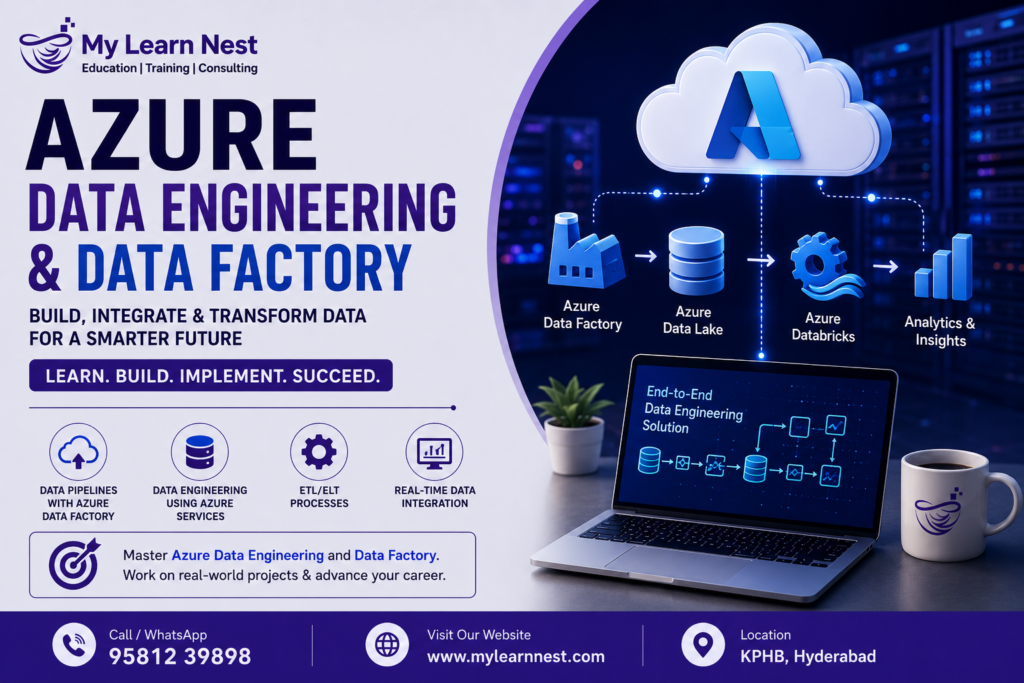
Azure Data Engineering and Data Factory
Azure Data Engineering and Data Factory have become important parts of modern cloud-based data management. Organizations today collect data from websites, applications, databases, business systems, APIs, IoT devices, and many other sources. Managing this growing amount of information requires reliable data engineering tools that can collect, transform, store, and move data efficiently.
Microsoft Azure provides a complete ecosystem for building modern data solutions. Among its important services, Azure Data Factory plays a major role in creating data pipelines, automating data movement, and connecting different data sources and destinations.
Azure Data Engineering focuses on designing and managing data workflows in the cloud. Azure Data Factory supports these workflows by providing tools for data ingestion, ETL and ELT processing, pipeline orchestration, scheduling, monitoring, and integration.
For students and professionals planning to build a career in cloud data engineering, understanding Azure Data Factory and Azure data engineering concepts can be a valuable step.
What Is Azure Data Engineering?
Azure Data Engineering is the process of collecting, processing, transforming, storing, and managing data using Microsoft Azure services. An Azure data engineer works with different data sources and creates reliable data pipelines that make information available for analytics, reporting, machine learning, and business applications.
A typical Azure data engineering solution may involve several services working together. Data can be collected from SQL databases, applications, APIs, files, or streaming platforms. It can then be processed and stored in services such as Azure Data Lake Storage before being used by analytics platforms.
The main goal of Azure Data Engineering is not simply to move data from one location to another. The goal is to create a reliable data flow that is scalable, secure, automated, and easy to monitor.
Azure Data Factory is one of the important services used to achieve this goal.
What Is Azure Data Factory?
Azure Data Factory is a cloud-based data integration service from Microsoft Azure. It helps organizations create, schedule, manage, and monitor data pipelines.
An Azure Data Factory pipeline can connect different data sources and destinations. For example, an organization may collect sales data from an SQL database, customer information from an application, and product information from files. Data Factory can help bring this information into a centralized data platform.
Azure Data Factory supports both traditional ETL and modern ELT approaches. It can also integrate with other Azure services to build complete cloud data engineering solutions.
One of the biggest advantages of Azure Data Factory is its ability to automate data workflows. Instead of manually moving data every day, organizations can create pipelines that run automatically according to a schedule or specific event.
Why Is Azure Data Factory Important for Data Engineering?
Modern businesses depend on data for decision-making. However, raw data is often distributed across different systems. Data may exist in databases, applications, cloud storage, spreadsheets, APIs, and other platforms.
For example, an organization can use an Azure Data Factory pipeline to extract customer information from a database, transform the data according to business requirements, and load the processed information into Azure Data Lake Storage.
This automation reduces manual work and helps improve data consistency.
Azure Data Factory is also useful when organizations need to manage large-scale data workflows. Data engineers can create pipelines that process information on a regular basis and monitor their execution through Azure’s management tools.
Azure Data Factory Architecture
Understanding Azure Data Factory architecture is important for anyone learning Azure Data Engineering.Azure Data Factory uses several important components to create and manage data workflows. Pipelines contain the overall workflow, while activities represent individual operations inside those workflows.
Integration Runtime is another important component. It provides the computing infrastructure required to move data and execute certain activities.
A simple Azure Data Factory workflow can be understood as:
Data Source → Azure Data Factory Pipeline → Transformation → Data Lake/Data Warehouse → Analytics
This architecture allows data engineers to create automated and scalable data processing workflows.
Azure Data Factory Pipelines
Azure Data Factory pipelines are collections of activities that define a data workflow. A pipeline can contain multiple steps and can be configured to run in a particular order.
For example, a pipeline may first extract data from a database. The next activity may validate the data. Another activity can transform the information before loading it into a data lake.
Azure Data Factory pipelines can also include conditions, dependencies, schedules, triggers, and error-handling mechanisms. This makes them useful for enterprise-level data engineering projects.
A well-designed pipeline should be reliable and easy to maintain. Data engineers should also consider performance, security, monitoring, and failure recovery when creating Azure Data Factory pipelines.
ETL and ELT Pipelines in Azure
ETL stands for Extract, Transform, and Load. In an ETL pipeline, data is extracted from a source, transformed before loading, and then stored in the target system.
ELT stands for Extract, Load, and Transform. In an ELT approach, data is first extracted and loaded into a target storage or processing platform. Transformation is then performed within that platform.
Both approaches are widely used in modern data engineering.
For example, an organization may extract data from operational databases and load it into Azure Data Lake Storage. Transformations can then be performed using other Azure data services.Understanding the difference between Azure ETL pipelines and Azure ELT pipelines is important for data engineering professionals because different projects may require different approaches.
Azure Data Integration
Data integration is the process of connecting different systems so that data can move between them efficiently.
Organizations rarely store all their data in one system. They may use relational databases, cloud applications, APIs, file storage, SaaS applications, and legacy systems.
Azure Data Factory provides connectors and integration capabilities that help connect these different sources.
For example, data can be integrated from:
- SQL databases
- Cloud storage
- REST APIs
- Applications
- Files
- Enterprise systems
The integrated data can then be delivered to destinations such as Azure Data Lake Storage or analytical platforms.
This makes Azure Data Factory an important tool for Azure cloud data engineering.
Azure Data Ingestion
Data ingestion is the process of collecting data from different sources and bringing it into a centralized data platform.
Azure data ingestion can involve structured, semi-structured, and unstructured data. Structured data may come from relational databases, while semi-structured data may come from JSON or XML files. Unstructured data may include documents, images, or other files.
Azure Data Factory can be used to create automated ingestion pipelines. These pipelines can move data from source systems into Azure storage and analytics environments.A good data ingestion process should consider data volume, frequency, source availability, security, and processing requirements.
For example, a business may ingest customer transaction data every hour. Instead of manually importing the data, an Azure Data Factory pipeline can automate the process.
Azure Data Lake Storage
Azure Data Lake Storage is an important component of modern Azure data engineering architectures. It provides scalable cloud storage for large amounts of structured and unstructured data.
Organizations can use Azure Data Lake Storage to store raw data, processed data, historical information, logs, and other datasets.A common architecture uses Azure Data Factory for data ingestion and Azure Data Lake Storage as the storage layer.
For example:
Source Systems → Azure Data Factory → Azure Data Lake Storage → Data Processing → Analytics
This type of architecture allows organizations to separate data ingestion, storage, processing, and analytics.
Data Transformation in Azure
Raw data is often not ready for reporting or analytics. It may contain missing values, duplicate records, incorrect formats, or inconsistent information.
In an Azure data engineering environment, transformations can include filtering records, joining datasets, changing data types, removing duplicates, aggregating information, and applying business rules.
Azure Data Factory can support transformation workflows and can work with other Azure services for advanced data processing.
The choice of transformation technology depends on the complexity and scale of the project.
Pipeline Orchestration in Azure Data Factory
Pipeline orchestration means controlling the sequence and execution of different data processing tasks.A real-world data workflow may contain many steps. For example, data must first be extracted, then validated, transformed, stored, and finally made available for analytics.
Azure Data Factory can orchestrate these activities.
Dependencies can be configured so that one activity starts only after another activity completes successfully. Conditions can also be used to determine what should happen when a task succeeds or fails.This makes Azure pipeline orchestration important for enterprise data workflows.
Instead of managing every process manually, data engineers can automate the complete workflow through Azure Data Factory.
Scheduling Azure Data Factory Pipelines
Data pipelines often need to run at specific times. For example, a company may want to process sales data every morning or customer data every hour.
Azure Data Factory provides triggers that can be used to start pipelines automatically.
Scheduled triggers are useful for recurring workloads. Event-based triggers can be used when a pipeline needs to start after a particular event occurs.This automation is especially useful for businesses that process large amounts of data regularly.
Automated scheduling reduces manual intervention and helps maintain consistent data processing.
Real-Time Data Integration in Azure
Traditional data pipelines often process information in batches. However, many modern applications require data to be processed quickly.
Real-time data integration involves collecting and processing data with very low delay. This can be important for applications such as financial monitoring, online transactions, IoT systems, fraud detection, customer activity tracking, and operational dashboards.
Azure provides several services that can work together for real-time data solutions. Azure Data Factory can be part of a larger architecture where data is collected, processed, stored, and analyzed using appropriate Azure services.
For example, streaming information from an application can be processed and made available for analytics without waiting for a large batch process.
Batch Processing vs Real-Time Data Processing
Batch processing collects data over a period and processes it together. This approach is useful when immediate results are not required.
For example, an organization may process all sales transactions from the previous day every night.
Real-time processing focuses on processing data as it arrives or shortly after it is generated. This approach is useful when businesses need quick insights.
For example, an online business may monitor customer activity and transaction events in near real time.
The choice between batch and real-time processing depends on business requirements, data volume, latency requirements, and application design.
Monitoring Azure Data Factory Pipelines
Creating a pipeline is only one part of data engineering. Data engineers also need to monitor pipeline execution and identify problems.
Azure Data Factory provides monitoring capabilities that help users understand whether pipelines and activities completed successfully.
When a pipeline fails, engineers can investigate the failed activity, review available error information, and identify the source of the problem.Monitoring is important because data failures can affect dashboards, reports, machine learning models, and business applications.
A strong Azure data engineering solution should therefore include monitoring and alerting as part of the overall pipeline design.
Error Handling in Azure Data Engineering
Data pipelines can fail for different reasons. A source database may become unavailable, a file may have an incorrect format, or a network connection may temporarily fail.
Azure Data Factory pipelines can be designed with appropriate dependencies and failure-handling logic.
Data engineers should think about what should happen when a pipeline fails. Some workflows may need to retry automatically, while others may need to stop and notify the engineering team.Good error handling helps create reliable Azure ETL pipelines and reduces the risk of incomplete or inconsistent data.
Security in Azure Data Engineering
Security is an important part of every cloud data engineering project. Data may contain sensitive customer, financial, business, or operational information.
Azure data engineering solutions should use appropriate authentication, authorization, encryption, access controls, and identity management practices.
Access to Azure Data Factory and Azure Data Lake Storage should be controlled according to user roles and responsibilities.Data engineers should also avoid exposing credentials directly inside pipelines. Secure authentication mechanisms should be used whenever possible.
Security should be considered from the beginning of the project rather than added after the pipeline has already been created.
Azure Data Engineering Project Example
Consider an e-commerce company that receives thousands of orders every day.
The company stores order information in an operational database. Customer information may come from a CRM application, while product information may be stored in files.An Azure Data Factory pipeline can be created to collect data from these different sources. The data can then be stored in Azure Data Lake Storage.
Transformation processes can clean the data and create analytics-ready datasets. Business teams can then use the processed data for sales analysis, customer analytics, inventory reporting, and business intelligence.
This example demonstrates how Azure Data Factory, data ingestion, Azure Data Lake Storage, ETL/ELT pipelines, and pipeline orchestration can work together.
Real-Time Azure Data Engineering Use Cases
Azure data engineering is used across many industries because organizations increasingly depend on data-driven decisions.
In banking, data pipelines can support transaction analysis and fraud monitoring. In healthcare, data platforms can help integrate information from different systems. Retail companies can analyze customer purchases, inventory, and sales trends.
E-commerce businesses can use data engineering for customer behavior analysis and recommendation systems.Manufacturing companies can also use data pipelines to collect information from machines and IoT devices.
These use cases show why knowledge of Azure Data Factory and cloud data engineering can be valuable across different industries.
Skills Required for Azure Data Engineering
Learning Azure Data Engineering requires both technical knowledge and practical experience.
A beginner should first understand SQL, databases, data warehousing, and basic programming concepts. Knowledge of Python can also be useful for data processing and automation.
After learning the fundamentals, students can move toward Azure services such as Azure Data Factory and Azure Data Lake Storage.Understanding ETL, ELT, data ingestion, pipeline orchestration, data transformation, and data quality is also important.
Practical project experience is especially valuable because data engineering involves solving real-world data problems rather than only learning theoretical concepts.
Azure Data Factory Training and Career Opportunities
Azure Data Factory training can help learners understand how to build and manage cloud-based data pipelines.
A structured Azure data engineering course can cover topics such as Azure Data Factory, data ingestion, ETL and ELT pipelines, Azure Data Lake Storage, pipeline orchestration, monitoring, and real-time data integration.
Learners can strengthen their skills by creating projects that simulate real business environments.
With experience, professionals can explore roles such as Azure Data Engineer, Cloud Data Engineer, Data Engineer, ETL Developer, Data Integration Engineer, and related cloud data roles.
Why Learn Azure Data Engineering?
Cloud adoption has increased the demand for professionals who can build and manage reliable data platforms.
Azure Data Engineering combines data engineering concepts with cloud technologies. Professionals who understand how to collect, transform, store, and process data can contribute to analytics and business intelligence projects.
Learning Azure Data Factory also provides practical experience with pipeline development and workflow automation.For students, freshers, and working professionals interested in cloud data engineering, learning Azure Data Factory can be a useful addition to their technical skill set.
Azure Data Engineering Best Practices
A good Azure data pipeline should be designed with scalability, reliability, security, and maintainability in mind.
Data engineers should avoid unnecessary data movement and choose the right storage and processing services for each workload. Pipelines should be organized clearly so that they are easy to understand and maintain.
Monitoring should be included from the beginning. Data quality checks should also be considered to identify missing, duplicate, or invalid records.Security should be implemented using appropriate identity and access management practices.
These practices help organizations build stable and efficient Azure cloud data engineering environments.
Future of Azure Data Engineering
The amount of data generated by businesses continues to increase. At the same time, organizations are moving more applications and workloads to the cloud.
This creates a growing need for scalable data platforms and skilled data engineers.
Azure Data Factory, Azure Data Lake Storage, cloud analytics services, and real-time data technologies provide organizations with tools for building modern data architectures.As data becomes increasingly important for artificial intelligence, machine learning, business intelligence, and automation, Azure data engineering skills are likely to remain valuable.
Conclusion
Azure Data Engineering and Data Factory provide a strong foundation for building modern cloud-based data solutions. Azure Data Factory helps organizations create automated pipelines for data ingestion, transformation, integration, and orchestration.
When combined with Azure Data Lake Storage and other Azure services, it can support scalable data platforms for analytics and business intelligence.
Understanding Azure ETL pipelines, Azure ELT pipelines, data ingestion, pipeline orchestration, and real-time data integration can help learners build practical cloud data engineering skills.For anyone planning to enter the cloud data engineering field, learning Azure Data Factory along with SQL, data warehousing, Python, and Azure data services can be a valuable career investment.

