
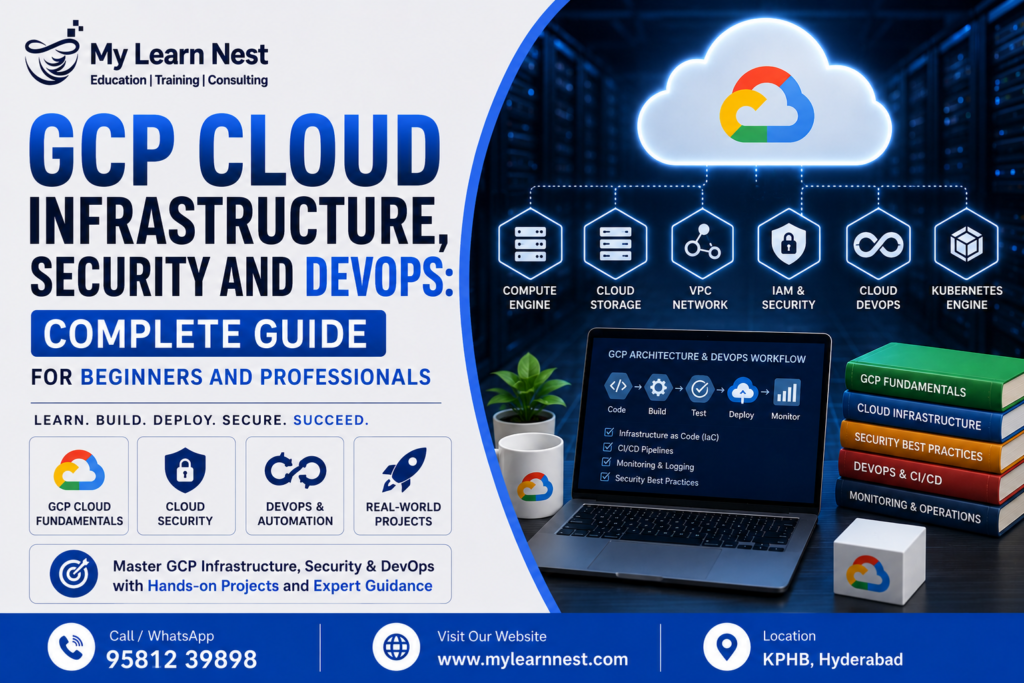
Complete Guide for Beginners and Professionals
Cloud computing has become an important part of modern business technology. Companies of all sizes are moving their applications, databases, websites, and business systems to the cloud to improve scalability, performance, security, and flexibility.
Google Cloud Platform, commonly known as GCP, provides a wide range of services for building and managing cloud applications. These services cover computing, networking, storage, security, monitoring, automation, and DevOps.
GCP Cloud Infrastructure, Security and DevOps are three important areas that work together when organizations build applications on Google Cloud. Infrastructure provides the computing and networking foundation, security protects applications and data, and DevOps helps teams automate development and deployment.
For students and professionals planning a career in cloud computing, learning these concepts can provide a strong foundation for roles such as GCP Cloud Engineer, Cloud Engineer, DevOps Engineer, Cloud Security Engineer, Infrastructure Engineer, and Site Reliability Engineer.
At MyLearnNest, learners can develop practical cloud skills by understanding GCP services and applying them to real-world cloud projects.
What Is GCP Cloud Infrastructure?
GCP cloud infrastructure refers to the computing, networking, storage, and related resources used to run applications and services on Google Cloud. Instead of purchasing physical servers and networking equipment, organizations can create cloud resources according to their requirements.
For example, a company launching a web application may need virtual machines to run the application, storage for files, a network to connect resources, security controls to protect access, and monitoring tools to identify problems.
Google Cloud provides managed services for these requirements.
A basic cloud infrastructure can include Google Compute Engine, Google Cloud VPC, Cloud Storage, Cloud Load Balancing, IAM, monitoring, and logging services.
Understanding how these components work together is an important part of learning GCP cloud infrastructure.
Why GCP Cloud Infrastructure Is Important
Traditional infrastructure often requires organizations to purchase hardware, configure servers, maintain networking equipment, and plan capacity months in advance.
Cloud infrastructure provides a more flexible approach.
Organizations can create resources when they need them and adjust their infrastructure as requirements change. This is especially useful for applications where traffic can increase unexpectedly.
For example, an e-commerce website may experience significantly higher traffic during a major sale. Cloud infrastructure can be designed to handle changing workloads using scalable computing resources and load balancing. Cloud infrastructure also allows teams to create development, testing, staging, and production environments without purchasing separate physical infrastructure for every environment.
This flexibility is one of the major reasons why cloud engineering skills are in demand.
Google Compute Engine
Google Compute Engine, commonly known as GCE, provides virtual machines that run on Google Cloud infrastructure.
A virtual machine allows organizations to run operating systems and applications without owning a physical server.A cloud engineer can select the required machine configuration, operating system, storage, and networking settings based on the application workload.
Compute Engine can be used for many different workloads, including web applications, backend services, development environments, enterprise applications, and custom software.
For beginners, learning Compute Engine is a useful way to understand fundamental cloud computing concepts such as virtual machines, machine types, disks, images, networking, firewall rules, and access control.
A typical application architecture might use Compute Engine instances to host an application while other GCP services handle storage, networking, security, and monitoring.
Google Cloud VPC
Google Cloud VPC, or Virtual Private Cloud, provides networking capabilities for cloud resources.
Networking is a critical part of cloud infrastructure because applications and services need to communicate securely with each other and, in many cases, with users or external systems. A VPC can contain networks, subnets, routes, and firewall rules that control how resources communicate.
For example, an organization may create separate network areas for application servers and other services. Firewall rules can then be used to control allowed traffic.
Understanding VPC concepts is essential for anyone preparing for a GCP Cloud Engineer or DevOps Engineer role.
Important concepts include networks, subnets, IP addresses, firewall rules, routes, and network connectivity.
Cloud Load Balancing
Applications that receive high levels of traffic need an efficient way to distribute requests across multiple resources. Google Cloud Load Balancing helps distribute incoming traffic across available backend resources.
For example, instead of sending all users to one application server, traffic can be distributed across multiple servers.This can improve application availability and help prevent a single server from becoming a bottleneck.
Load balancing is especially useful for websites, APIs, enterprise applications, and other systems that require reliable service availability.
When learning GCP infrastructure, it is important to understand how load balancing works together with Compute Engine, networking, health checks, and scalable application architectures.
Cloud Storage in GCP Infrastructure
Google Cloud Storage is an object storage service that can be used to store files and other unstructured data.
Organizations can use Cloud Storage for application files, backups, media, logs, datasets, documents, and other types of objects.
Cloud Storage can also work with other GCP services.For example, an application running on Computer Engine may store images and documents in Cloud Storage instead of keeping everything on the virtual machine’s local disk.
Cloud Storage can also be useful in DevOps environments for storing build artifacts, backups, deployment-related files, and other resources. Security and access permissions should always be considered when storing business or sensitive information in cloud storage.
GCP IAM and Cloud Identity
Cloud security begins with controlling who can access resources.
Google Cloud Identity and Access Management, commonly known as IAM, allows organizations to control access to cloud resources. IAM helps determine who can perform specific actions on specific resources.
For example, a developer may need permission to deploy an application but may not need permission to modify security settings.Similarly, a monitoring team may need permission to view logs and metrics without having full administrative access.
Using appropriate permissions helps reduce unnecessary access and supports the principle of least privilege.Cloud Identity can also support identity management for users and organizations.
Learning IAM is one of the most important parts of GCP cloud security because incorrect permissions can create significant security risks.
GCP Security Best Practices
Cloud security should not be treated as a separate activity performed only after an application is deployed. Security needs to be considered throughout the application lifecycle.
Organizations should carefully manage user access, service accounts, network access, secrets, storage permissions, and application configurations.The principle of least privilege is especially important. Users and applications should receive only the permissions they actually need.
Organizations should also monitor cloud activity and review logs regularly to identify unusual behavior.
Other important security practices include:
- Use strong identity and access controls.
- Protect sensitive credentials and secrets.
- Monitor cloud resources and application activity.
- Keep permissions limited and regularly reviewed.
Following these practices can help create a more secure GCP environment.
Google Cloud Secret Manager
Applications often require sensitive information such as API keys, passwords, tokens, and database credentials. Keeping these values directly inside application source code is a poor security practice.
Google Cloud Secret Manager provides a service for securely storing and managing sensitive information.
Instead of placing a password inside application code, an application can retrieve the required secret from Secret Manager when it needs it.
This approach helps reduce the risk of exposing credentials through source code repositories or configuration files.Secret management becomes particularly important in DevOps environments where automated pipelines deploy applications frequently.
A secure CI/CD pipeline should avoid exposing sensitive credentials in source code, build logs, or configuration files.
Cloud Monitoring
Applications and infrastructure need to be monitored after deployment.
Google Cloud Monitoring provides capabilities for observing cloud resources, applications, and system performance. Monitoring can help teams understand whether services are operating normally.
For example, a cloud engineer may monitor CPU utilization, memory-related metrics, request rates, application performance, or other available metrics.
Monitoring can also help teams identify unusual behavior before it becomes a major production problem.A good monitoring strategy allows teams to understand application health and respond quickly when issues occur.
For DevOps and cloud engineering professionals, monitoring is an important part of maintaining reliable applications.
Cloud Logging
While monitoring provides metrics and performance information, logs provide detailed records of events and activities.
Google Cloud Logging helps collect, search, analyze, and manage logs from applications and cloud resources. Logs can help developers troubleshoot application errors and help security teams investigate suspicious activity.
For example, if an application suddenly starts returning errors, engineers can inspect logs to understand what happened.Logging is also useful during deployments. Teams can review logs to identify whether a new application version is working correctly.
A combination of Cloud Monitoring and Cloud Logging gives teams better visibility into their cloud environment.
GCP DevOps and CI/CD
DevOps combines development and operations practices to help teams build, test, deploy, and maintain software more efficiently.
In traditional software development, application releases may require many manual steps. This can increase the chance of human error and slow down deployment.DevOps introduces automation into the software development lifecycle.
CI/CD, or Continuous Integration and Continuous Delivery or Deployment, is an important part of modern DevOps.
A typical CI/CD workflow may look like:
Code → Build → Test → Security Checks → Deployment → Monitoring
When a developer pushes new code, an automated pipeline can build the application, run tests, and deploy the application to the appropriate environment.
This allows development teams to release changes more frequently and consistently.
Why CI/CD Is Important in GCP
Cloud environments are well suited for automation.
Instead of manually creating infrastructure and deploying applications, teams can automate many repetitive tasks.
A GCP DevOps workflow may include source code management, automated builds, testing, deployment, infrastructure configuration, security checks, and monitoring. Automation reduces repetitive manual work and creates a more consistent deployment process.It also makes it easier for teams to identify problems earlier in the development lifecycle.
For someone preparing for a GCP DevOps Engineer career, understanding CI/CD concepts is essential.
GCP Infrastructure as Code
Infrastructure as Code, commonly known as IaC, is an important DevOps practice. Instead of creating every cloud resource manually through a graphical interface, infrastructure can be defined using configuration files and managed through automation.
This makes infrastructure easier to reproduce and maintain.
For example, an organization may define its network, virtual machines, storage resources, and other infrastructure components using code or configuration.
Infrastructure as Code can be especially useful when multiple environments need to be created with similar configurations.It also supports version control and collaboration between team members.
Learning IaC concepts can help cloud engineers move from manually managed infrastructure toward automated cloud environments.
GCP Cloud Security and DevOps Integration
Security and DevOps should work together. Modern organizations increasingly follow DevSecOps practices, where security is included throughout the development and deployment lifecycle.
For example, security checks can be included in CI/CD pipelines. Application dependencies can be scanned, access permissions can be reviewed, and sensitive credentials can be stored using Secret Manager.
Cloud Monitoring and Cloud Logging can also support security monitoring and troubleshooting.
This approach helps teams identify security issues earlier rather than waiting until an application reaches production. For learners, understanding the relationship between GCP security and DevOps is valuable because modern cloud roles often require knowledge across multiple areas.
GCP Cloud Infrastructure Architecture
A simple GCP application architecture may include multiple services working together.
For example, users may access an application through a load balancer. Traffic can then be distributed to Compute Engine instances. The application may use Cloud Storage for files and other objects. IAM controls which users and services can access resources.
Secret Manager can protect application credentials, while Cloud Monitoring and Cloud Logging provide visibility into the environment.
A simplified architecture can be understood as:
Users → Load Balancer → Compute Engine → Cloud Storage
With security and operations supporting the entire environment:
IAM + Secret Manager + Cloud Monitoring + Cloud Logging
This demonstrates why cloud infrastructure, security, and DevOps cannot be treated as completely separate topics.
GCP Cloud Projects for Practical Learning
Hands-on projects are one of the best ways to understand GCP cloud infrastructure.
A beginner project could involve creating a Compute Engine virtual machine, configuring a VPC, setting firewall rules, and deploying a simple application.
An intermediate project could introduce Cloud Load Balancing, Cloud Storage, IAM, monitoring, and logging.An advanced project could combine infrastructure automation, CI/CD, security controls, monitoring, and automated deployment.
Some useful project ideas include:
- GCP web application deployment project
- Highly available application using load balancing
- Secure cloud infrastructure project
- GCP CI/CD deployment project
- Cloud monitoring and logging project
Projects should focus on understanding the complete workflow rather than simply creating individual cloud resources.
Real-Time GCP DevOps Project Example
Consider an organization that wants to deploy an online business application on Google Cloud. The application can run on Compute Engine instances. A load balancer can distribute incoming traffic between application instances.
The infrastructure can be organized using a VPC, while firewall rules control network access.
IAM can control access for developers and administrators. Sensitive application credentials can be stored in Secret Manager.A CI/CD pipeline can automatically deploy new application versions whenever approved code changes are made.
After deployment, Cloud Monitoring can track infrastructure and application metrics, while Cloud Logging can help engineers investigate errors. This project demonstrates how GCP Cloud Infrastructure, Security and DevOps work together in a practical environment.
GCP Cloud Monitoring and Troubleshooting
Cloud environments require continuous monitoring because problems can occur at any time.
A production application may experience high CPU usage, unexpected traffic, application errors, failed deployments, or network connectivity issues.
Monitoring helps identify changes in system behavior, while logging provides detailed information about events.When troubleshooting a cloud application, engineers should first identify the affected service and then examine available metrics and logs.
For example, if users report that an application has become slow, an engineer may investigate traffic levels, compute resource usage, application logs, network configuration, and recent deployments.
Good troubleshooting skills are important for both cloud engineers and DevOps professionals.
Common GCP Cloud Security Challenges
Cloud security requires continuous attention. One common challenge is excessive permissions. Giving users or applications more access than necessary can increase security risks.
Another challenge is exposing sensitive credentials through source code or configuration files.Incorrect network configuration can also expose services unnecessarily.Poor monitoring can make it difficult to identify suspicious activity or application failures.
Organizations should therefore combine identity management, secure secret handling, network controls, logging, monitoring, and regular security reviews.
Security should be built into the architecture instead of being added only after deployment.
Skills Required for a GCP Cloud Engineer
A GCP cloud engineer needs a combination of technical and practical skills.
Understanding cloud computing fundamentals is a good starting point. Learners should then develop knowledge of virtual machines, networking, storage, identity management, security, monitoring, and DevOps.
Linux fundamentals can also be useful because many cloud workloads run on Linux-based systems. Basic scripting and programming knowledge can help with automation.Professionals should also understand CI/CD, version control, infrastructure automation, troubleshooting, and cloud security.
These skills become stronger when learners apply them to real projects.
GCP Cloud Infrastructure and DevOps Career Opportunities
Cloud adoption has created opportunities for professionals with infrastructure, security, and automation skills.
Depending on their skills and experience, learners can explore roles such as GCP Cloud Engineer, GCP DevOps Engineer, Cloud Infrastructure Engineer, Cloud Security Engineer, DevOps Engineer, Site Reliability Engineer, and Cloud Administrator.
The responsibilities of these roles can vary.
A cloud engineer may focus on infrastructure and networking. A DevOps engineer may focus on automation and deployment. A cloud security professional may concentrate on identity, permissions, security controls, and monitoring. Building knowledge across these areas can provide more flexibility when exploring cloud careers.
GCP Cloud Infrastructure Interview Preparation
GCP interviews can include questions about both individual services and real-world scenarios.
Candidates may be asked about Compute Engine, VPC, load balancing, Cloud Storage, IAM, Secret Manager, Cloud Monitoring, Cloud Logging, CI/CD, and cloud security.Scenario-based questions are especially useful for understanding whether a candidate can apply concepts.
For example, an interviewer may ask how to design a highly available application on GCP.
A good response should discuss multiple application instances, load balancing, networking, security, monitoring, and deployment practices.Candidates may also be asked how they would troubleshoot a failed deployment or protect application credentials.
Hands-on projects can make these questions easier to answer because candidates can relate their responses to practical experience.
Best Practices for GCP DevOps
A successful GCP DevOps environment should focus on automation, security, reliability, and continuous improvement.
Teams should automate repetitive deployment activities, use version control, test application changes before production deployment, and monitor applications after release.
Security should be included in CI/CD workflows instead of being treated as a final step.
Infrastructure should be documented and, where practical, managed through Infrastructure as Code.Teams should also establish useful monitoring and logging practices so that problems can be identified and resolved quickly.
These practices can improve the reliability and maintainability of cloud applications.

Why Learn GCP Cloud Infrastructure, Security and DevOps at MyLearnNest?
Learning cloud technologies becomes more valuable when concepts are connected to practical use cases.
MyLearnNest focuses on career-oriented technology training and practical learning. For learners interested in GCP, understanding only individual service definitions is not enough.
Students should learn how Compute Engine, VPC, Load Balancing, Cloud Storage, IAM, Secret Manager, monitoring, logging, and CI/CD work together.Project-based learning can help learners understand real deployment scenarios and build confidence in using cloud services.
MyLearnNest can support learners who want to develop practical skills for cloud infrastructure, DevOps, and related technology careers.
Who Can Learn GCP Cloud Infrastructure and DevOps?
GCP cloud infrastructure and DevOps can be learned by students, fresh graduates, software developers, system administrators, IT professionals, testers, database professionals, and people looking to move into cloud careers.
Beginners can start with cloud computing fundamentals before moving into Compute Engine, VPC, storage, IAM, and monitoring.
Professionals who already have experience with Linux, networking, software development, or system administration may be able to connect their existing knowledge with GCP concepts more quickly.
Consistent practice is more important than trying to learn every GCP service at once.
Final Thoughts on GCP Cloud Infrastructure, Security and DevOps
GCP Cloud Infrastructure, Security and DevOps form an important foundation for modern cloud computing.
Compute Engine provides virtual computing resources, VPC supports networking, Load Balancing helps distribute application traffic, and Cloud Storage provides scalable object storage. IAM and Secret Manager support security, while Cloud Monitoring and Cloud Logging provide operational visibility.
For learners planning a career in cloud computing, it is important to combine theoretical knowledge with hands-on practice. Building GCP cloud projects can help develop practical skills and make technical concepts easier to understand.
MyLearnNest can help students and professionals build practical GCP skills through career-focused learning and project-based training.

